
You've spent weeks (maybe months) getting your website built. The design looks good, the copy is written, and you're ready to hit publish. But here's the thing — most websites that go live "unfinished" don't look unfinished. They look fine on the surface. The problems show up later: a broken form nobody noticed, a page that takes 8 seconds to load, or a contact page with the wrong phone number.
A proper pre-launch check isn't about perfectionism. It's about catching the mistakes that actually cost you customers — before a real visitor finds them for you.
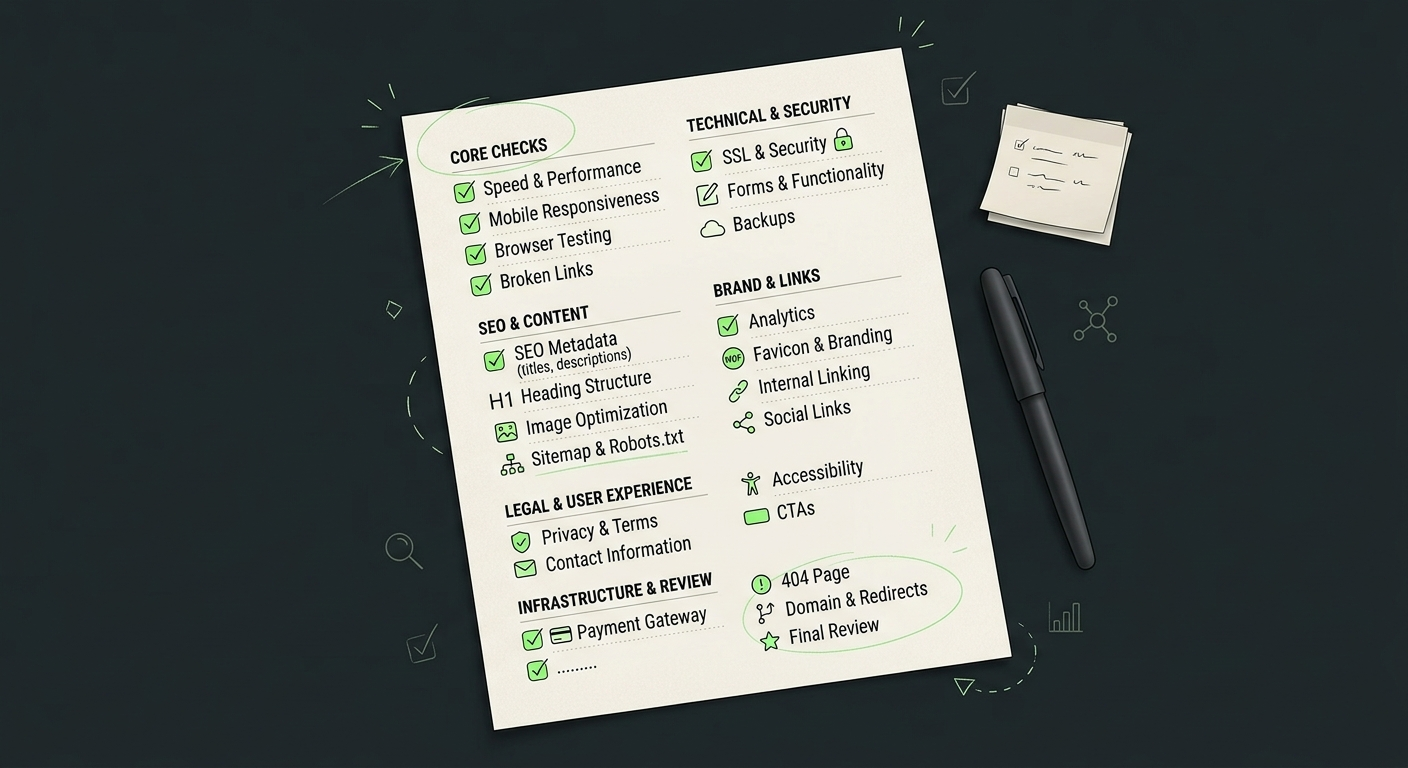
This checklist covers the 25 things worth checking before your business website goes live, grouped by category so you can work through them in order.
Why a Pre-Launch Check Matters More Than You Think
A visitor who lands on a slow or broken page rarely gives you a second chance. They just leave. And once Google indexes a page with errors, fixing it later takes longer than getting it right before launch. Ten minutes of checking now can save you weeks of lost traffic and lost leads later.
Technical & Performance Checks
1. Page Speed and Load Time
A slow website loses visitors before they even see your content. Test every major page — not just the homepage — using a tool like Google PageSpeed Insights. Compress large images, remove unused scripts, and check load time on both desktop and mobile connections.
2. Mobile Responsiveness
Open every page on an actual phone, not just a browser resize, and check that text isn't cut off, buttons aren't too small to tap, and menus open properly.
3. Cross-Browser and Cross-Device Testing
A site that looks perfect in Chrome can break in Safari or Firefox. Test on at least three browsers and both Android and iOS devices before launch.
4. Broken Links and 404 Errors
Click through every internal and external link on the site. A broken link on your services page tells a visitor — and Google — that the site isn't maintained.
5. SSL Certificate and Security
Your website should load over HTTPS, and browsers should not show security warnings. Check that the SSL certificate is valid, covers the correct domain, and redirects HTTP traffic to HTTPS.
6. Forms and Functionality Testing
Submit every contact form, newsletter signup, and quote request form yourself. Confirm the email actually arrives, the confirmation message shows up, and no field silently fails.
7. Backup and Hosting Setup
Before launch, confirm your hosting plan can handle expected traffic and that automatic backups are turned on. If something breaks after launch, you want a recent backup to restore from — not a rebuild from scratch.
Content & SEO Checks
8. Meta Titles and Descriptions
Every page needs a unique meta title and description — not the default placeholder text some website builders leave behind. This is what shows up in Google search results and directly affects click-through rate. If SEO isn't something you want to manage in-house, this is part of what our SEO services cover.
9. Heading Structure (H1, H2, H3)
Each page should have exactly one H1, followed by a logical H2/H3 structure. This helps both readers scan the page and search engines understand what it's about.
10. Image Alt Text and Compression
Every image needs descriptive alt text (for SEO and accessibility) and should be compressed so it doesn't slow the page down. Large, uncompressed images are one of the most common causes of slow websites.
11. Spelling, Grammar, and Consistency
Read every page out loud, or have someone else read it. Typos and inconsistent formatting (like mixing "Contact Us" and "Get In Touch" across pages) chip away at credibility fast.
12. Sitemap, Robots.txt and Indexability
Make sure your XML sitemap exists and contains the important pages you want indexed. Check that robots.txt isn't blocking important URLs, that pages aren't accidentally marked noindex, and that canonical URLs point to the correct versions of your pages.
13. Google Search Console and Analytics Setup
Set these up before launch, not after. You want data from day one, and Search Console will alert you to indexing issues early.
14. Favicon and Branding Elements
A missing favicon (the small icon in the browser tab) is a small detail that makes a site look unfinished. Check it displays correctly across browsers.
15. Internal Linking
Link related pages to each other — service pages to relevant case studies, blog posts to related services. This helps visitors navigate and helps search engines understand your site structure. For example, our custom website development page links directly to project breakdowns like the Azam Travel & Tours case study, so visitors can see real work, not just claims.
Legal & Trust Checks
16. Privacy Policy and Terms of Service
Even a simple business site collecting contact form data needs a privacy policy. It's a trust signal for visitors and often a legal requirement depending on your location and audience.
17. Contact Information and Business Details
Double-check your phone number, email, and address are correct and match across every page — footer, contact page, and any schema markup.
18. Cookie Consent (if applicable)
If you're using analytics, ads, or tracking cookies and have visitors from regions with cookie laws (like the EU), add a cookie consent banner.
19. Accessibility Basics
Check color contrast is readable, forms have proper labels, and the site is navigable by keyboard. The W3C Web Accessibility Initiative is a solid starting reference. Basic accessibility also tends to improve SEO and usability for everyone.
Conversion & User Experience Checks
20. Clear CTAs on Every Page
Every page should have an obvious next step — "Get a Quote," "Book a Call," "Contact Us." Don't make a visitor hunt for how to reach you.
21. Working Payment Gateway (if e-commerce)
If you're selling directly, run a full test transaction (refund it after) to confirm the payment gateway, order confirmation emails, and inventory updates all work correctly.
22. Social Media Links
Confirm every social icon links to the correct, active profile — not a placeholder or an old account.
23. 404 Page Design
Design a proper 404 page instead of leaving the default server error. Include a link back to the homepage or a search bar so lost visitors don't just leave.
24. Domain, HTTPS and Redirects
Make sure your preferred domain version is consistent and redirects work correctly. Test HTTP to HTTPS, www to non-www or vice versa, and old URLs to new URLs if you're replacing an existing website. Check for redirect loops and unnecessary redirect chains.
25. Final Client/Team Review Before Going Live
Before you flip the switch, have someone outside the project — a client, a colleague, a friend — click through the whole site fresh. They'll catch things you've stopped noticing after weeks of staring at it.
If you're working with a website development company in Islamabad, you can also use this checklist to review the website before approving the final launch.
When to Bring in a Professional
Running through this list yourself is doable for a small site. But if you're launching something with e-commerce, custom functionality, or you simply don't have time to test all 25 points properly, it's often faster and safer to have a developer do a pre-launch audit. Catching issues before launch is always cheaper than fixing them after your site is already live and indexed.
If you want a second set of eyes on your site before it goes live, Dev AT Solutions offers pre-launch website audits covering performance, SEO, and functionality — so nothing slips through before your customers see it.
FAQ
How long should a pre-launch website check take?
For a standard business website, a thorough check across all 25 points usually takes half a day to a full day, depending on how many pages the site has.
What's the most commonly missed item before launching a website?
Broken forms and missing SSL certificates are two of the most frequently missed items — both are easy to overlook because they don't affect how the site looks, only how it works.
Do I need Google Analytics before launch or can I add it later?
It's best to add it before launch. Setting it up early means you capture data from your very first visitors instead of losing that baseline.
Is a privacy policy legally required for a small business website?
Requirements vary by country and by whether you collect visitor data (even just through a contact form). It's worth checking local regulations, but having a basic privacy policy is standard practice regardless.