
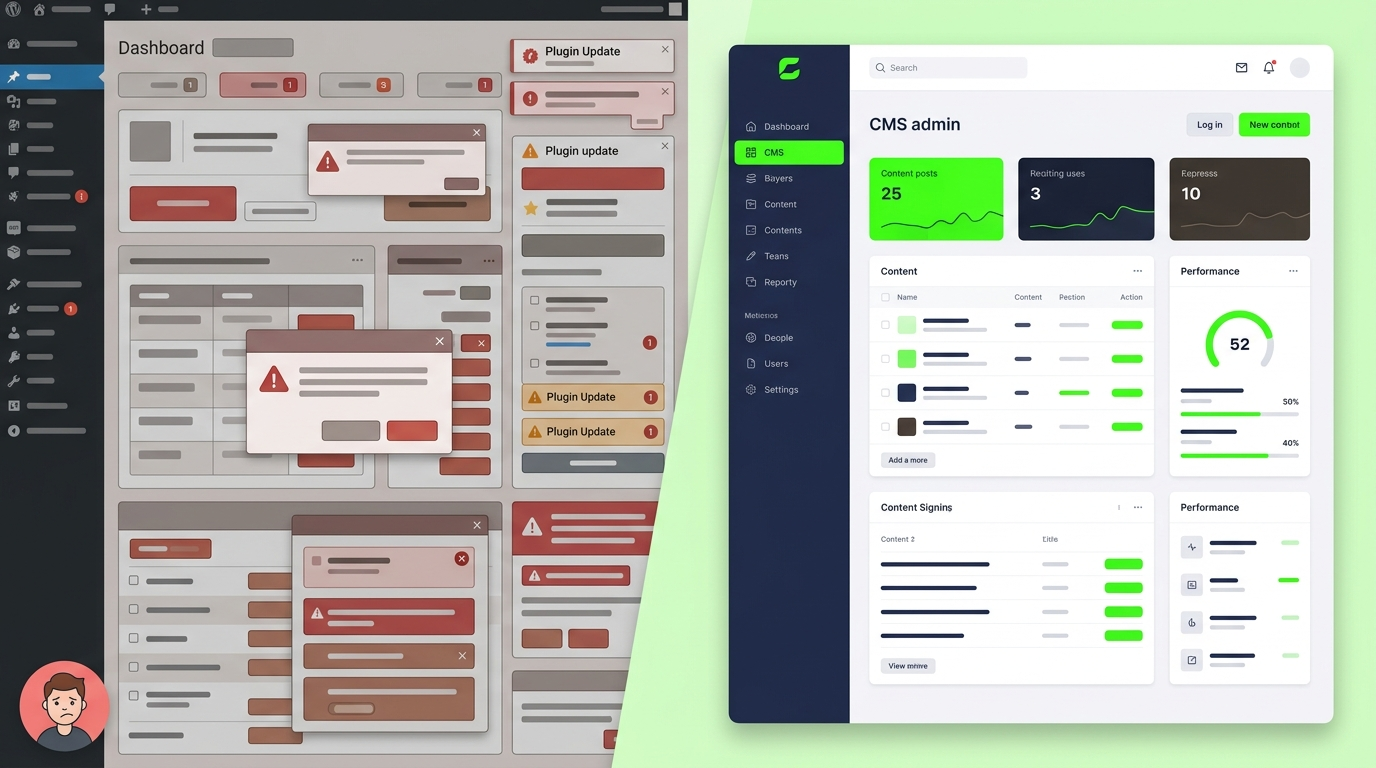
Most businesses don't actually need a custom CMS. They need their WordPress site to stop crashing every time they update a plugin. That's a different problem, and it's worth being honest about which one you actually have before you spend money solving the wrong thing.
But there's a point where every growing business hits a wall with off-the-shelf platforms and that's what this article is actually about.
What a Custom CMS Actually Means
A custom CMS is a content management system built specifically around how your business creates, organizes, and publishes content instead of forcing your business into a structure someone else designed for millions of unrelated websites.
With platforms such as WordPress, Shopify, or Wix, you're working within an architecture designed for a broad range of businesses. A custom CMS instead lets the underlying content model, workflows, and admin experience be designed around your specific requirements.
If your business needs a CMS built around specific workflows, integrations, or content requirements, custom CMS development services can provide more control than a standard platform.
Custom CMS vs Website Builder (WordPress, Shopify, Wix)
| Off-the-shelf CMS | Custom CMS | |
|---|---|---|
| Setup speed | Fast | built from scratch |
| Flexibility | Limited by plugins/theme | Built around your exact needs |
| Performance | Depends on plugins/hosting | Optimized for your use case |
| Long-term cost | Cheaper upfront, plugin fees add up | Higher upfront, lower long-term |
| Scalability | Struggles past a certain size | Built to scale with you |
| Maintenance | You depend on third-party updates | You control the roadmap |
Signs You've Outgrown an Off-the-Shelf CMS
You're probably past the point where a template CMS makes sense if:
-
Your team spends more time fighting plugin conflicts than publishing content
-
Page speed keeps dropping every time you add a new feature or plugin
-
You need content structured in a way no theme or plugin supports (custom pricing calculators, complex product configurators, multi-step booking flows)
-
You're paying for five plugins to do what should be one simple feature
-
Your developer keeps saying "WordPress can't do that cleanly"
-
You're scaling into multiple markets, languages, or business units and the site structure can't keep up
If none of these sound familiar, a well-optimized WordPress or Shopify setup is probably the right call for now — and there's no shame in that.
What You Actually Get With a Custom CMS
Content Modeling Built Around Your Business
Instead of forcing your services, products, or bookings into a generic "post" or "page" structure, the CMS is designed around what you actually manage — whether that's real estate listings, course modules, travel packages, or client case studies.
Speed and Performance
No plugin bloat, no unused code running in the background. A custom build only loads what your site actually needs, which usually means faster load times and better Core Web Vitals — which can improve user experience and help meet Google's Core Web Vitals expectations.
Security
Widely used CMS platforms and their plugins can become attractive targets because attackers can exploit vulnerabilities that affect large numbers of installations. A custom CMS has a different attack surface, but it still requires secure development, authentication, access controls, patching and monitoring.
Integrations (CRM, ERP, Payment, Analytics)
If your business runs on a CRM, an ERP, a booking system, or custom payment logic, a custom CMS can be built to talk directly to those systems through APIs — instead of relying on a plugin that half-works and breaks with every update.
What a Custom CMS Costs (And Why)
Custom CMS development costs more upfront than installing WordPress — that's the honest trade-off. You're paying for the content architecture, the admin panel, the integrations, and the testing that a template gives you "for free" (because a template spreads that cost across millions of users).
The real comparison isn't "$0 WordPress" vs "custom CMS cost." It's the ongoing cost of premium plugins, developer hours fixing plugin conflicts, and lost revenue from a slow or broken site — stacked over 2–3 years — compared to a system built once, correctly, around your business.
Exact pricing depends on scope: how many content types, how complex the admin panel needs to be, how many integrations, and whether you need a full custom frontend or a headless setup feeding an existing site.
Common Mistakes Businesses Make
-
Going custom too early. If you're pre-revenue or still validating the business, a custom CMS is usually the wrong priority.
-
Going custom without a clear content model. Building the system before mapping out exactly what content types and workflows you need leads to expensive rework.
-
Confusing "custom design" with "custom CMS." A custom-designed WordPress theme is not the same as a custom-built content management system — plenty of businesses pay custom-CMS prices for what's really a custom theme.
-
Skipping the admin experience. A powerful backend that your team can't actually use easily defeats the purpose.
When a Custom CMS Is Overkill
Be honest about this one:
-
You're a small business with straightforward content needs (services, blog, contact) — a well-built WordPress site handles this fine.
-
You need to launch fast and iterate — a template gets you to market quicker.
-
Your team has no in-house technical support and needs a system with a huge existing ecosystem of tutorials and plugins to fall back on.
How to Decide
Ask three questions honestly:
-
Is my current CMS limiting what my business can actually do — or just annoying me?
-
Will I still be running this business at this scale (or bigger) in 2–3 years?
-
Do I have — or need — integrations and workflows that a plugin can't handle cleanly?
If you answered yes to at least two, it's worth getting a real technical assessment before deciding either way.
If you're weighing this decision for your own business, Dev AT Solutions can walk through your current setup and tell you honestly whether a custom CMS development service makes sense — or whether your money is better spent elsewhere for now. Explore our custom software development services or book a free consultation for a straight answer.
FAQ
Is a custom CMS better than WordPress?
Not automatically. WordPress is faster to launch and cheaper upfront, and it's the right choice for straightforward content needs. A custom CMS is better when your business has outgrown what plugins and themes can support cleanly.
How much does custom CMS development cost?
It depends on the number of content types, integrations, and admin panel complexity. It costs more upfront than an off-the-shelf CMS, but often costs less over 2–3 years once you factor in premium plugins and developer time spent on workarounds.
Can a custom CMS integrate with my CRM or ERP?
Yes — this is one of the main reasons businesses move to a custom CMS. It can be built to connect directly with your existing CRM, ERP, booking system, or payment processor through APIs.
Is a custom CMS more secure than WordPress?
It removes a large share of the common attack surface simply by not running the same widely-targeted code as millions of other sites. It still needs to be built and maintained with proper security practices — "custom" doesn't mean "automatically secure."
How long does custom CMS development take?
Timelines vary based on scope — a focused custom CMS for a single business use case can take a few weeks; more complex systems with multiple integrations take longer. A proper technical assessment upfront gives an accurate timeline.